Went down the abstracted rabbit hole…

Hey guys! Hope you’re having a good weekend.

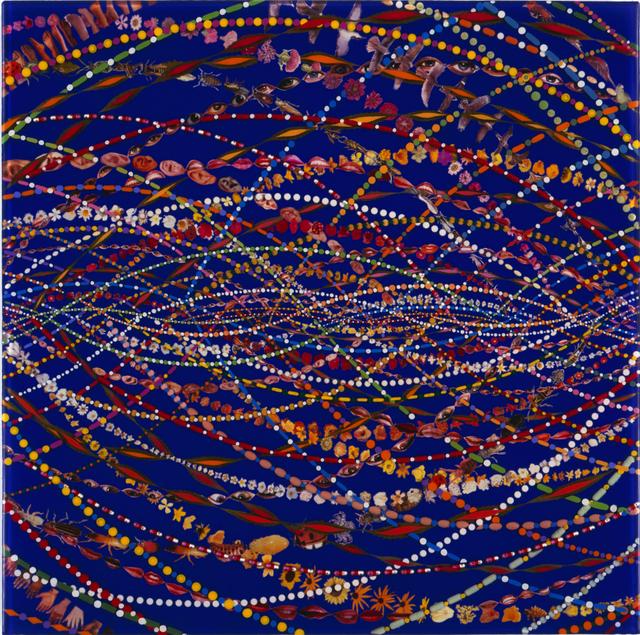
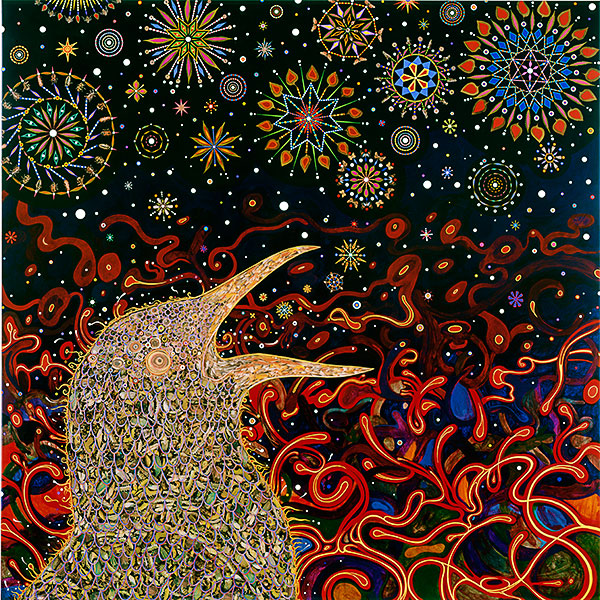
As I was searching for artists relating to work we are doing, I kept typing “abstract, reductionist art, sound to image” blah blah blah. I found some things, but not totally related to what we’re doing. BUT. When I started thinking specifically about Project 1.1 and the patterning we were encouraged to do, I decided to look up, “tessellation art, abstracted patterns, textile art” and found two great artists that I think you’d like. Also, a third who I LOVE, and more so does general abstract art (but who’s work is giving me Gustav Klimt energy). Not directly related, but I wanted to share also.

So first artist is MC Escher. He probably didn’t invent, but is credited with being the father of tessellations. Which you might remember from math class. He’s a mathematician and is known for ‘impossible reality’, tessellating, and patterned art/graphics. They are super cool. I’ve been stuck on his website for a solid 30 minutes cause he has an intense body of work. Here are some favorites I picked out.

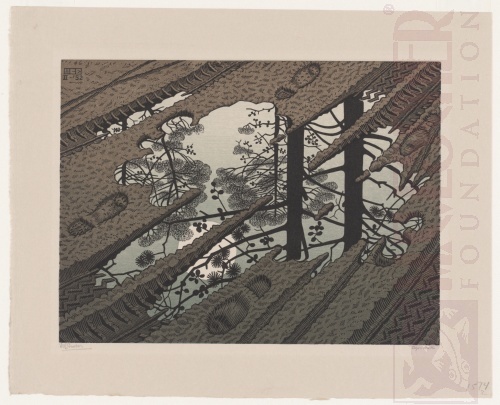


https://mcescher.com/gallery/
Scroll through this gallery! It’s gold.

SO, next artist, and I’ll speed this along. Is Anni Albers. Textile art- it reminded me of the book of quilt patterns that David had in class.

Image result for anni albers
Image result for Black-White-Yellow
https://www.washingtonpost.com/entertainment/books/dont-know-the-work-of-anni-albers-this-gifted-artist-is-finally-getting-her-due/2018/09/20/7df4f44a-abb3-11e8-b1da-ff7faa680710_story.html
cool article about her, her work, and her journey in the art world

AND last but not least- Fred Tomaselli.
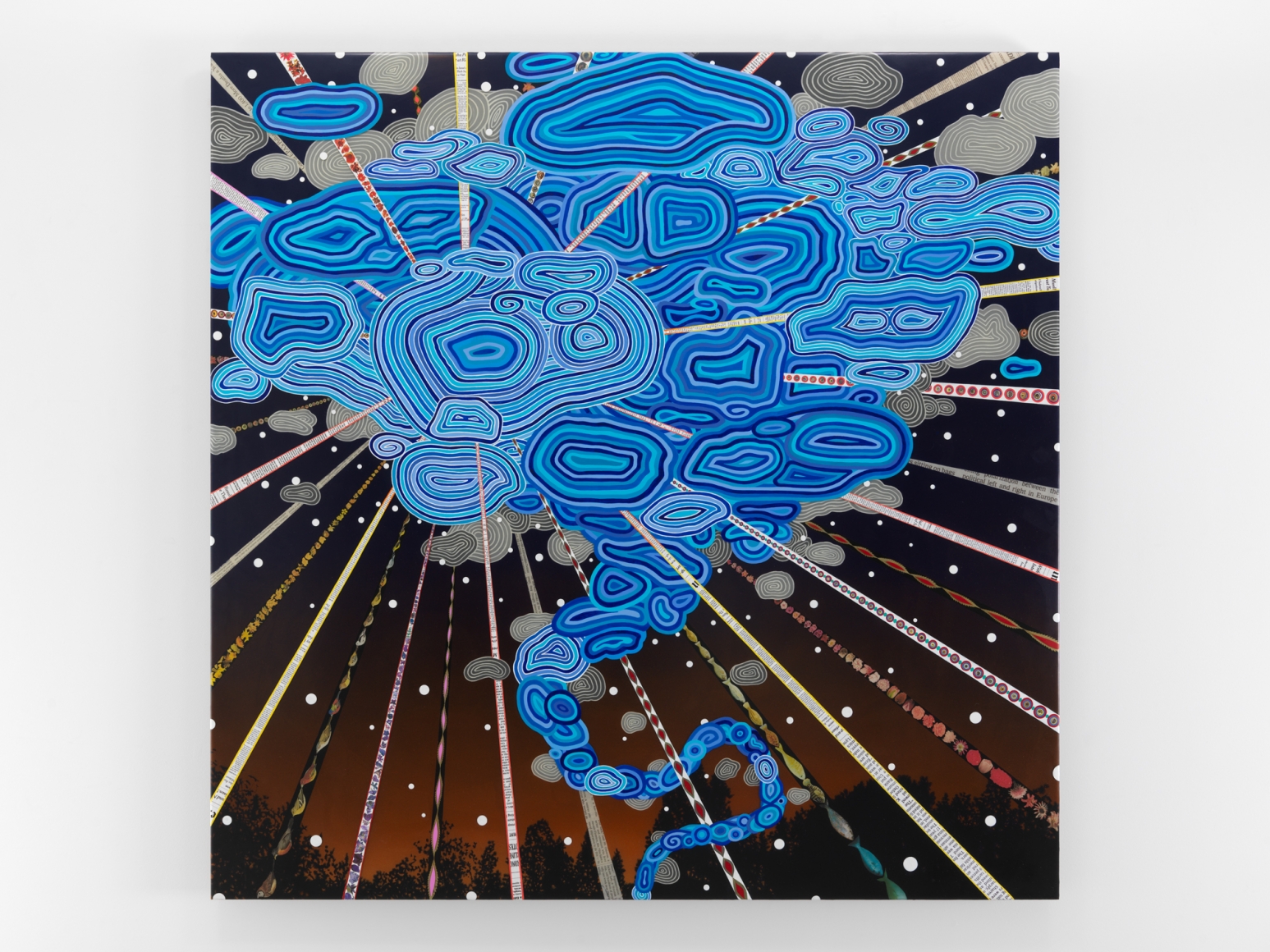
Image result for fred tomaselli
Image result for fred tomaselliImage result for fred tomaselli


AND for reference of the comparison to Gustav Klimt, this is my favorite painting of his. Do you get what I’m seeing to think they’re similar?

Image result for klimt vs klimt

Printing

Here are instructions for printing on the laser printers and the large format plotters. You will be printing on these often this semester for your projects.

https://www.design.upenn.edu/printing

You have a $50 advance for printing. Check your print cost balance here.

Addams Hall

Course Folder

The Course Folder is available to store project submissions – Use the Public Folder and the sub-folder Project 1.1. Post only PDFs Smallest File Size.
To access the Course Folders, from pull-down menu: Finder > Go > Connect to Server
or from keyboard CMD+K

Use server address: smb://juno.design.upenn.edu/courses

Screen Shot 2016-01-19 at 3.16.47 PM.png

Submit PDFs of Project 1.1 studies
Use the naming protocol: Last name.project1.1.studies.pdf

and submit PDFs of final
Use the naming protocol: Last name.project1.1.final.pdf

How to Post to the Class Blog

Accept the invitation (email) to be an Editor for the class blog
Login to WordPress (create account)
Go to blog

https://2020foundations.home.blog/

Click on Write in upper right part of window
Or click on My Sites > Posts > Add New Post
USE CLASSIC EDITOR to edit
Write title, text, add images, links
Click on Preview and check post
If OK, click Publish

There are lots of ‘How to create a new post WordPress’ videos if you need help

https://www.youtube.com/watch?v=smQ6PEtkexs

Illustrator Tutorials

Our Illustrator tutorial is scheduled for February 2.
In the meantime here are a number of tutorials that may be helpful — those in bold are relevant, especially Drawing with the Pen Tool.

Screen Shot 2019-08-28 at 11.51.51 AM

To create a repeating pattern and some digital texture, check this guide.

Tutorials
Illustrator List of Tutorials
Basic Shapes
Drawing Shapes
Drawing With the Pen Tool
Layers
Stacking/Grouping
Rotating/Reflecting Objects
Isolation Mode
Pen Tool Game
Pen Tool (Extras)


Other functions/tools we’ll review in class

Pathfinder
Object
Transform: Move, Rotate, Reflect, Scale
Arrange
Group/Ungroup
Lock
Window (Dialog Boxes)
Align
Quick Duplicate (Holding down Option)
Color
Layers
Stroke/fill
Pen Tool
Shape Rectangle (Ellipse, etc.) Tools
Rotate
Scale
Brushes
Shape Builder
Clipping Mask
Pattern Tool
Pattern Brush
Scatter Brush
Art Brush
Live Paint
Art Board Tool
Using Kuler
Saving Swatches

Hello | Project 1

The eye does not see things
but images of things that mean other things…
— Italo Calvino, Invisible Cities

LOVE Indiana copy 

stankowski

fashion

adam pendleton

reas2

tileston

Project 1
What is an Image? How does it Mean?
This project involves an analysis of images, exploration of abstraction, and working with basic non-objective shapes in a fixed space. There are three parts; separate compositions addressing space, figure ground, relationships, reduction, and meaning.

For each part produce 6 or more studies and one final composition for printing, critique and submission.

1.1 Literacy 10×10” Black and White – Sound to Image Translation
Assigned 1.16 Due 2.18
1.2 Meaning 12×12” Wordless Product Pamphlet
Assigned 1.28 Due 2.18
1.3 Abstraction 12×12” Color Interpretation of an Invisible City from Calvino
Assigned 2.4 Due 2.13/2.18

Project 1.1
In this first exercise you will transform sounds to manual sketches and translate into digital (vector) drawings. These abstract, non-representational shapes and simple symbolic forms will express a variety of associations and meanings. The project introduces working in a fixed space, using a variety of tools, methods, and organizing principles. 

Readings (for Jan 21):
Communication Models, Davis
‘Image’ definition, Wikipedia
Arranging Things, Koren
Why I Taught Myself to Procrastinate, Grant

Reading (for Jan 28):
The Nature of Representation, Davis

+ + + + + + + + + + ++
Create an Adobe ID Password:

  1. Open the Adobe Creative Cloud application.
  2. Click on Get an Adobe ID.
  3. Review the Terms of use, enter your information, then click on Sign up.

    Or

  1. Go to https://www.adobe.com/
  2. Click on the Sign In link.
  3. Click on the “Get an Adobe ID” link.
  4. Review the Terms of Use, then fill in the required information, and click on Sign up.

+ + + + + + + + + + ++
Launch Illustrator and create a new Custom (10” x 10”) document:

Open Illustrator Prefs and set grid lines every .5″ with subdivision of 1
Use the Rectangle Tool and draw a 8″ square
Under View menu, turn on Snap to Grid
Center the square, position 1″ from the top of page and 1″ from the left edge
Outline the path of the square with a .5 pt black stroke
View grids so that you see a grid of .5″ squares
Under Object menu, Lock Selection and in Layer dialog box make a New Layer
Save to the Desktop/Local Data drive

Translate the sound into marks in your sketchbook
Transform the marks into digital (vector) drawings
Create digital compositions in Illustrator
Multiple studies – and a repeating pattern

+ + + + + + + + + + +

Project 1.1 Examples Fall 2019

Project 1.1 Studies Template

+ + + + + + + + + + +

Foundations-2020-intro2

Project 2 Evan animation 2019, Dr Strangelove, Kubrick 

Project 4 Intervention (In)Visible

Selected project 1.1 examples

Mockingbird
Psycho

+ + + + + + + + + + +

Fine Arts and Design Program

Powers of Ten

MIT Media Lab logo animation